QR Codes for Real Estate: Smarter Signs, Better Leads
Put a QR code on your property sign and update the listing it links to whenever you need. Here's how real estate agents use dynamic QR codes.
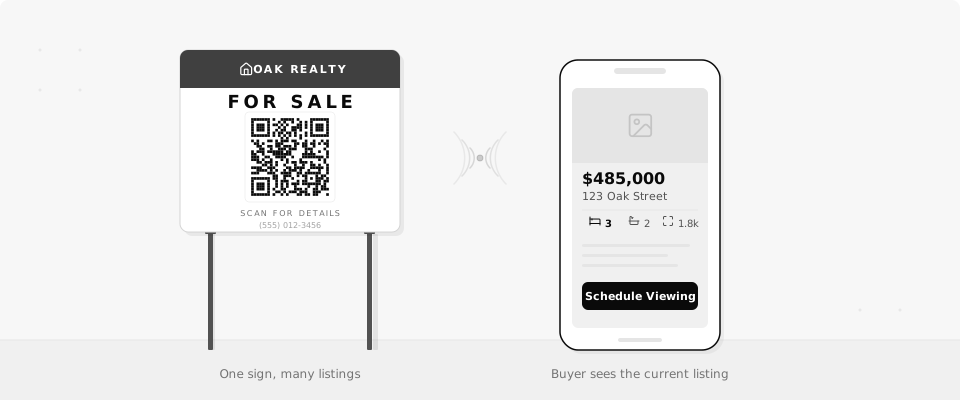
You just closed on a property. Now you need to pull down the sign, order a new one for the next listing, and wait for it to arrive. Or you could keep the same sign and change where the QR code points in about 10 seconds. That's what dynamic QR codes do for real estate agents: one printed code, as many listings as you need.
6 Ways Real Estate Agents Use QR Codes
A QR code on a yard sign is the obvious starting point. But once you have a code you can update anytime, it fits into a lot more of your workflow.
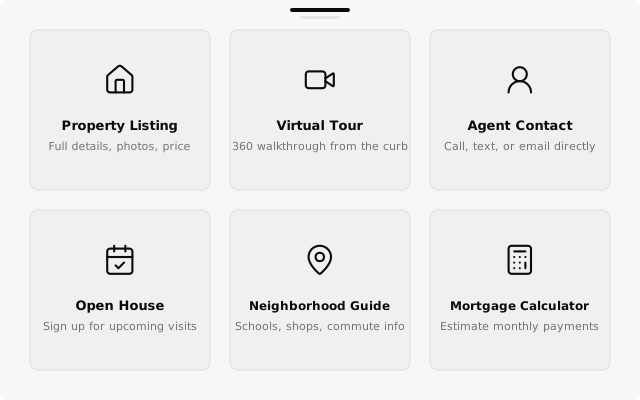
- Property listing. Link to the full MLS listing or your own property page. When the home sells, swap the destination to the next listing on the same street.
- Virtual tour. Point to a Matterport or video walkthrough. Buyers scan from the sidewalk and tour the home before they even call you.
- Agent contact. Put a QR code on your business card that links to your contact page. If you change brokerages, update the URL instead of reprinting 500 cards.
- Open house signup. Link to a Google Form or sign-in sheet. Collect names and emails automatically instead of passing around a clipboard.
- Neighborhood guide. Share a page with local schools, restaurants, parks, and commute times. Buyers care about the area, not just the house.
- Mortgage calculator. Link to a calculator pre-filled with the listing price. Helps buyers picture the monthly payment while they're still standing in front of the property.
All six work as dynamic QR codes, which means you print them once and change the destination whenever you need to.
Put a QR code on your business card linked to your listings page. When you switch brokerages or update your site, change the URL without reprinting.
The Killer Feature: Reuse Codes Across Listings
Most agents order a new sign for every property. The address changes, the listing link changes, and the old sign goes in the trash.
With a dynamic QR code, the code on your sign stays the same. When a property sells, you log into QrBro and point the code to your next listing. Same physical sign, new destination. The edit takes seconds and the full history of every change is saved so you can always see which listing the code pointed to and when.
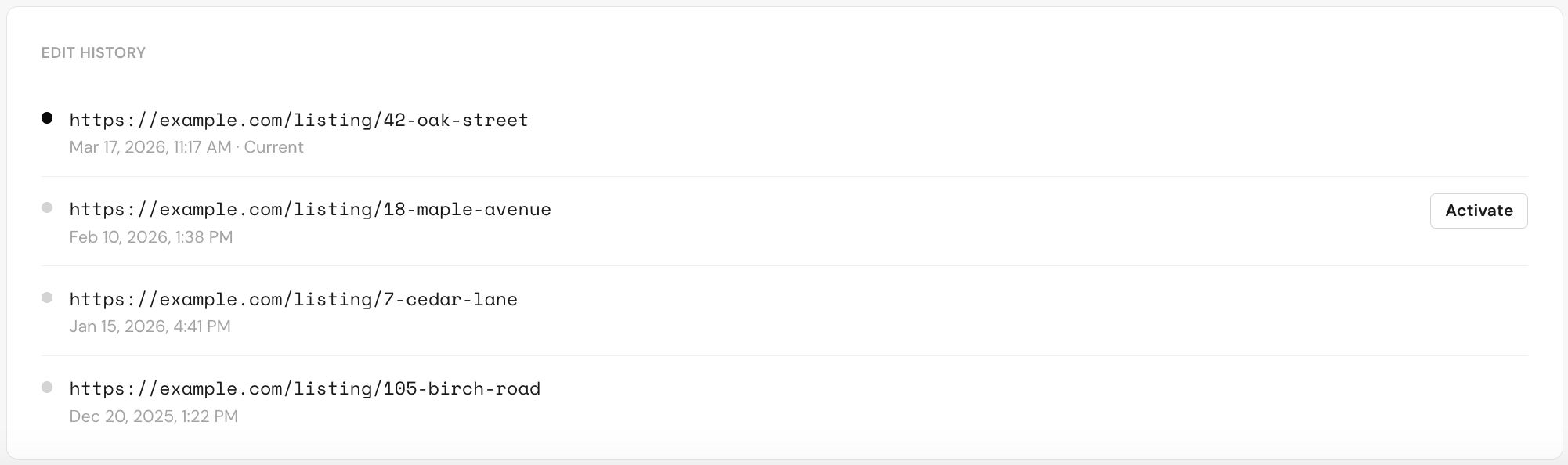
This works especially well if you farm a specific neighborhood. One high-quality sign, one QR code, and you just rotate the listing it links to as your inventory changes.
One code on your sign. Update the listing when the property changes. No new sign needed.
See Which Listings Get Attention
A QR code on a sign tells you something a sign alone never can: how many people actually stopped to look. QrBro's scan analytics show you total scans, the time of day people scan, and what device they used.
That data helps you answer real questions. Is foot traffic picking up on weekends? Did the open house promotion on social media actually drive people to the property page? Are more people scanning from the yard sign or from the flyer you left at the coffee shop?
You can export the numbers to CSV if you need to include scan data in a seller report. It's a simple way to show clients that your marketing is working.
Include scan numbers in your seller reports. It's concrete proof that your signs and flyers are driving interest.
A Real-World Example
Say you're an agent working a neighborhood with 3 active listings. You order one well-made yard sign with a QR code and the text "Scan for Details."
For Listing A, the code points to the property page. You check the analytics after the first weekend and see 40+ scans. Two weeks later, the house goes under contract. You update the QR code destination to Listing B down the street, move the sign, and keep going.
At the end of the quarter, you've sold 3 homes using the same sign. Your total cost on signage: one sign. Your scan data shows 150+ total scans across the three listings, broken down by day and device.
Compare that to ordering a custom sign for every property. The math is simple.
Getting Started
Paste your listing URL into QrBro, download the QR code image, and add it to whatever you're printing. Signs, flyers, business cards, postcards. The whole process takes a couple of minutes.
Not sure whether you need a free or paid tool? The free vs paid comparison breaks it down. QrBro's free plan gives you 3 dynamic codes, which covers a yard sign, a business card, and an open house flyer to start.
Create your first dynamic QR code, it's free
Get StartedRelated guides
How to Change a QR Code URL Without Reprinting
Already printed your QR code? You can still change where it goes. Here's how to update a QR code destination without reprinting anything.
LearnHow to Track QR Code Scans
Find out who's scanning your QR codes, when, where, and on what device. Here's how QR code scan tracking works and what data you can collect.