How to Change a QR Code URL Without Reprinting
Already printed your QR code? You can still change where it goes. Here's how to update a QR code destination without reprinting anything.
You printed 1,000 flyers. The URL changed. Now you're staring at a box of expensive paper that points to the wrong place. Good news: if you used a dynamic QR code, you can change the destination in about 10 seconds without reprinting a single thing.
Why Most QR Codes Can't Be Changed
A standard (static) QR code has the URL baked directly into its pattern. The black-and-white squares literally encode the characters of your web address. Once you print it, there's nothing to edit. The only fix is generating a new code and reprinting your materials.
This is fine if the URL will never change. But in practice, URLs change all the time. Menus get updated, campaigns end, PDFs get revised, pages get moved.
That's where dynamic QR codes come in. A dynamic code doesn't point to your final destination. It points to a short redirect URL that you control. When someone scans, they hit the redirect first, and the redirect sends them wherever you've told it to go. Change the redirect target, and every printed code updates instantly.
Every QR code you print is permanent. The URL behind it doesn't have to be.
How to Update a QR Code Destination in QrBro
If your code was created in QrBro, changing the URL takes three steps.
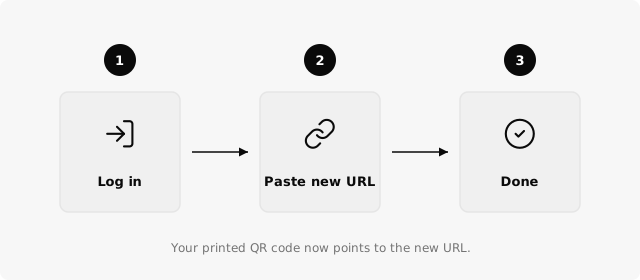
- Log in to your QrBro dashboard and find the code you want to update.
- Paste the new URL into the destination field.
- Save. That's it. Every printed copy of that QR code now sends scanners to the new address.
No new QR code image. No redesign. No reprint. The change takes effect immediately for the next person who scans.

A single dynamic QR code can be redirected unlimited times. Print once, update forever.
Real-World Examples
This matters most when you've already distributed physical materials.
Restaurants print table tents and menu cards that link to a PDF menu. When the seasonal menu changes, they swap the URL in QrBro. Same table tents, new menu.
Real estate agents put QR codes on property signs. When the house sells, they update the destination to the next listing. One sign, many properties.
Event organizers print codes on badges and posters. Before the event, the code links to the schedule. After, it links to the recording or feedback form.
In each case, the printed code never changes. Only the destination does.
What If You Used a Static Code?
If you generated a free static QR code (like from our free generator), you're stuck. There's no redirect layer to update. Your only option is to create a new code and reprint.
To avoid this next time, start with a dynamic code. Every code you create in QrBro is dynamic by default. You get the redirect layer, scan analytics, and the ability to change the destination whenever you need to.
Free static QR generators don't offer URL editing. If you've already printed a static code, you'll need to reprint with a dynamic one to get this flexibility going forward.
The free QrBro plan gives you 3 dynamic codes with full analytics. Enough to test the workflow before committing to a paid tier.
Create your first dynamic QR code, it's free
Get StartedRelated guides
Dynamic vs Static QR Codes: What's the Difference?
Learn the difference between static and dynamic QR codes, when to use each, and why dynamic codes are better for business.
PracticalHow to Organize and Manage Hundreds of QR Codes
How to manage multiple QR codes without losing track of them: naming rules that sort themselves, grouping by client or print run, and bulk edits to 200 codes.