Restaurant QR Code Ideas: 6 Ways to Use Them
Restaurant QR code ideas that go past your digital menu: 6 practical ways to use QR codes in a restaurant, from daily specials to Google review links.
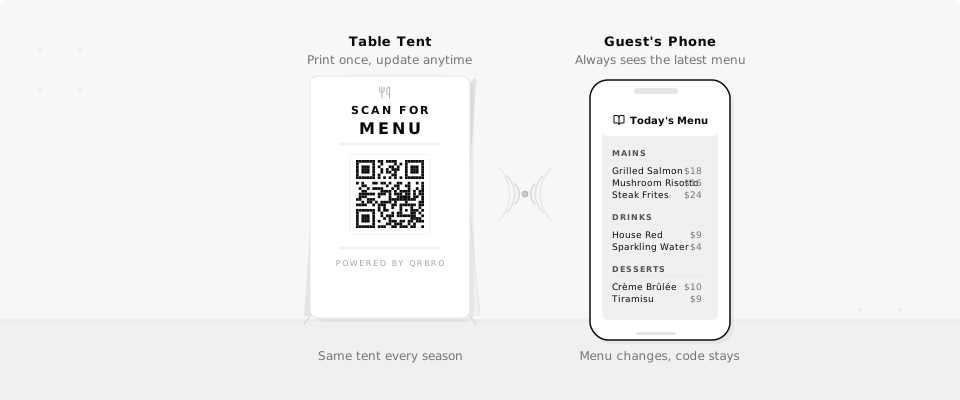
You update your menu more often than you'd like to admit. Seasonal dishes, price changes, new specials every week. But the table tents are already printed, the signs are up, and reprinting costs real money. QR codes let restaurants change what guests see without replacing a single piece of print. For the full picture of how QR codes work in a restaurant, read QR codes for restaurants.
6 Ways Restaurants Use QR Codes
Most restaurants start with a digital menu. But once you have a QR code that you can update anytime, the use cases multiply fast.
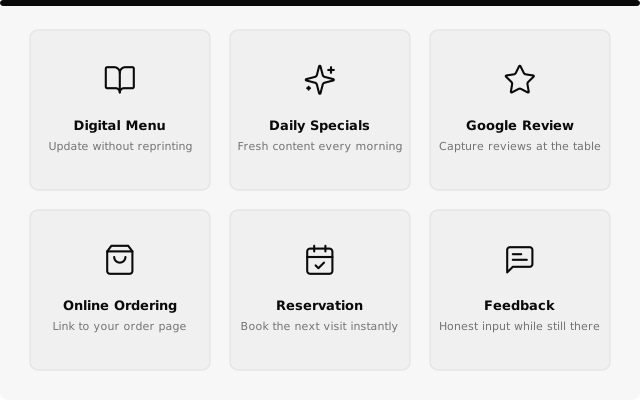
- Digital menu. Link to a PDF or webpage with your full menu. Update it whenever prices or dishes change.
- Daily specials. Point to a page you update each morning. Guests scan and see what's fresh today.
- Google review link. Put a QR code on the check presenter. Guests scan right after a good meal while the experience is still fresh.
- Online ordering. Add a QR code to takeout bags or table tents that links to your ordering page. Update the link if you switch platforms.
- Reservation page. Place codes on business cards or window signs. Guests book their next visit without searching for your site.
- Feedback form. Capture honest feedback while guests are still at the table, not hours later when they've moved on.
All six can be dynamic QR codes, which means you can swap the destination behind any of them whenever you need to. The printed code stays the same.
Change your menu link every season without reprinting table tents.
A Real-World Example
Imagine you run a neighborhood bistro with 20 tables. You print table tents with a QR code and the text "Scan for Menu." When the season turns and the dishes change, you swap the destination URL in QrBro. Same table tents, new menu.
If lunch and dinner run off separate menus, scheduled redirects on Pro and Business move that one code between them on a timer, which the restaurant page walks through.
Then you start putting codes elsewhere. One on the check presenter points at your Google Business page, so guests leave a review while the meal is still fresh. One on takeout bags links to your ordering page. One on the window sign opens your reservation form, so someone walking past at 9pm can book for Friday.
A few weeks in, you check the scan data and see the check presenter code is pulling in 30+ new reviews per month. The reservation code earns its keep too, so you give it a second surface and print it on the back of the table tents.
All of this from print you set up once.
Getting Started
You don't need a designer or a developer. Paste your menu URL into QrBro, download the QR code image, and drop it into whatever you're printing. The whole process takes about two minutes.
If you're not sure whether to go with a free or paid QR code generator, the free vs paid comparison breaks down what you get at each tier. The free plan gives you 3 dynamic codes, which is enough to cover a menu, a review link, and a feedback form.
Start with your menu. It's the highest-traffic use case and the one where you'll feel the benefit of dynamic codes the fastest.
Print once. Update whenever. That's the whole idea.
Create your first dynamic QR code, it's free
Get StartedRelated guides
Dynamic vs Static QR Codes: What's the Difference?
Learn the difference between static and dynamic QR codes, when to use each, and why dynamic codes are better for business.
LearnHow to Change a QR Code URL Without Reprinting
Already printed your QR code? You can still change where it goes. Here's how to update a QR code destination without reprinting anything.