How to Track QR Code Scans
Find out who's scanning your QR codes, when, where, and on what device. Here's how QR code scan tracking works and what data you can collect.
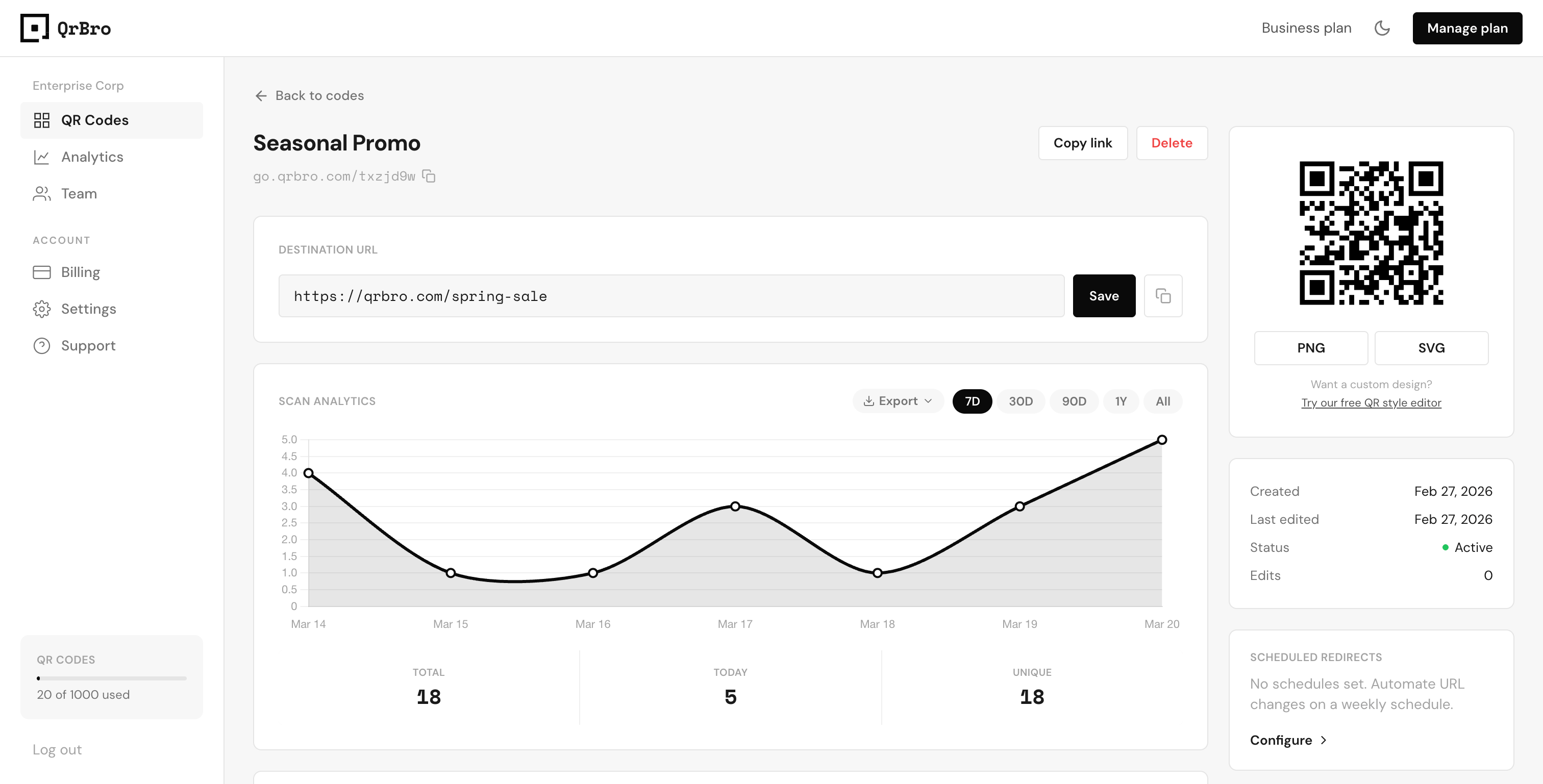
You printed QR codes on your flyers, packaging, or signage. People are scanning them (you hope). But how do you actually track QR code scans and find out what's happening after someone points their camera at your code?
Static Codes Give You Nothing
If you generated a free static QR code (from our free generator or anywhere else), you have zero visibility. Static codes encode the destination URL directly into the QR pattern. When someone scans, their phone opens the URL and that's it. No ping back to you. No record of the scan. No way to know if 5 people scanned or 5,000.
To track scans, you need a dynamic QR code. Dynamic codes route through a redirect service before sending the scanner to your destination. That redirect is where tracking happens. Every scan passes through it, and each one gets logged with data about who scanned, when, where, and on what device.
Think of the redirect as a turnstile. Everyone still gets through to your destination, but you get a count and a timestamp for every person who passes.
What Data Can You Track?
A good QR code analytics dashboard gives you more than just a scan count. Here's what QrBro tracks for every scan:
| Data Point | What It Tells You |
|---|---|
| Total scans | How many times the code was scanned overall |
| Unique scans | How many distinct devices scanned (filters out repeat scanners) |
| Device type | iPhone, Android, tablet, or desktop |
| Location | City and country of the scanner |
| Time and date | Exactly when each scan happened |
| Referrer | Whether the scan came from a camera app, QR reader, or browser |
This data shows up in your QrBro dashboard as a timeseries chart (scans over time) plus summary cards for each metric. You can spot trends at a glance: which days get the most scans, whether your audience skews iPhone or Android, and which locations are driving traffic.
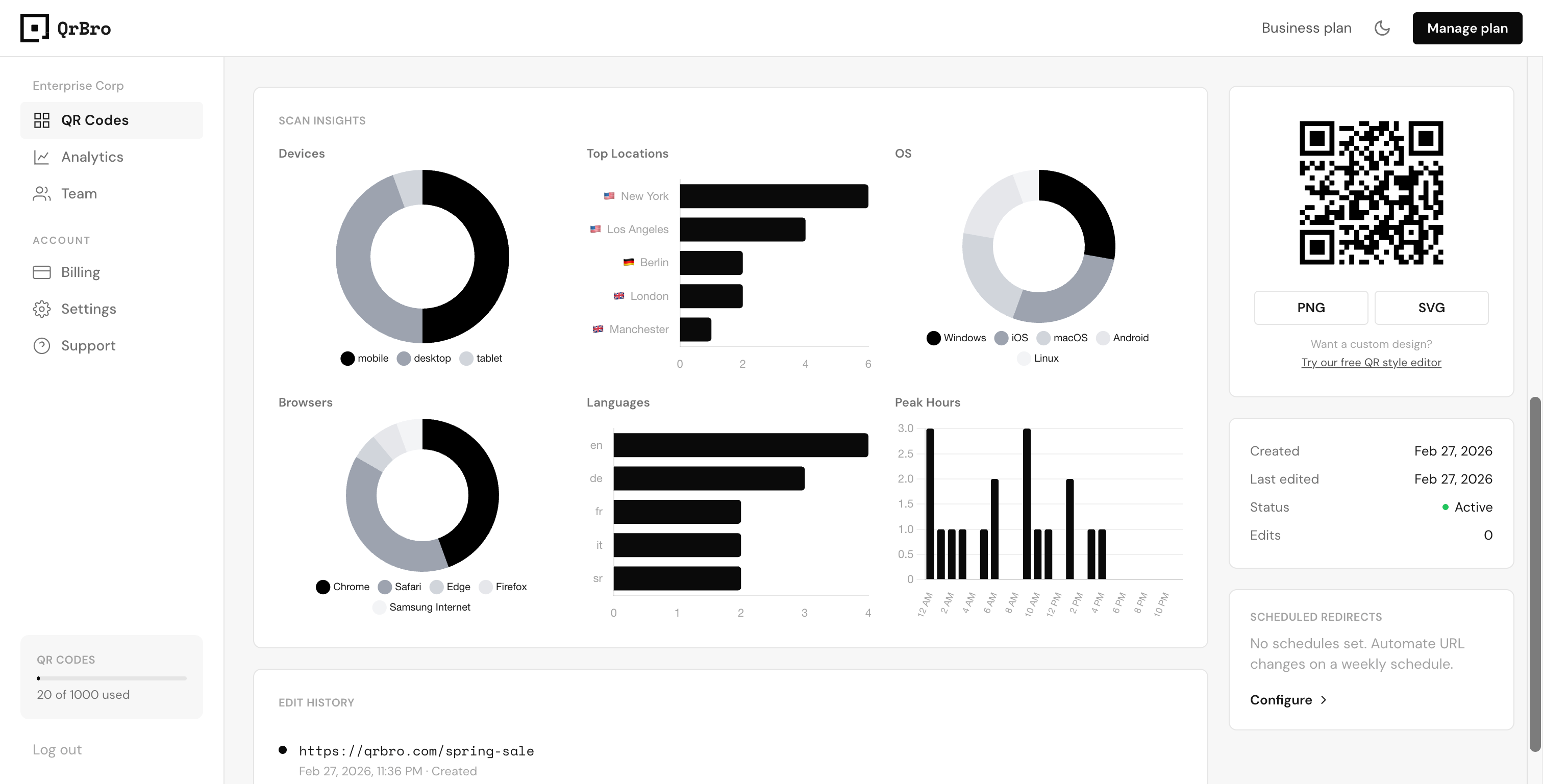
See exactly where, when, and how people scan your codes. Every scan is logged with device, location, and timestamp data.
Filtering by Time Period
Not all scans matter equally. You might want to see how a campaign performed last week, or compare this month to last month. QrBro lets you filter analytics by time period using pills at the top of the dashboard: 7 days, 30 days, 90 days, 1 year, or all time.
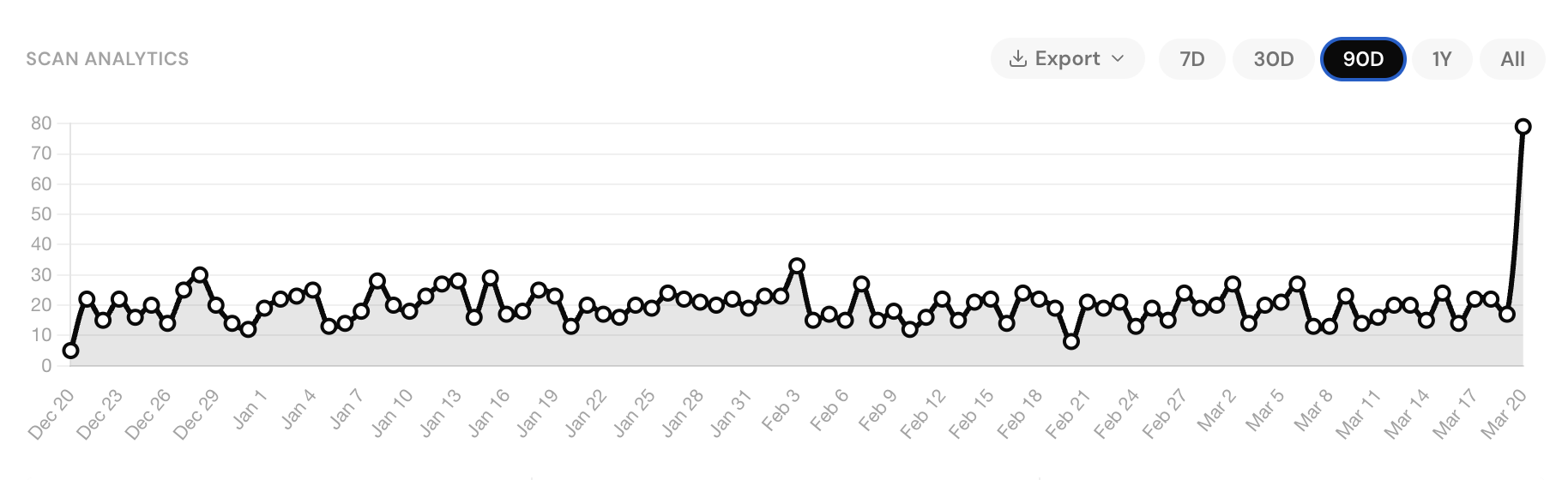
This is especially useful for restaurants running seasonal menus, real estate agents tracking open house traffic, or event organizers measuring engagement during a specific weekend. Filter to the date range that matters and ignore the noise.
How to Set Up Scan Tracking in QrBro
There's nothing extra to configure. Every QR code you create in QrBro is dynamic by default, which means scan tracking is built in from the moment you generate a code.
- Create a QR code on the QrBro homepage by pasting your destination URL.
- Download and print (or share digitally).
- Check your dashboard whenever you want to see scan data.
That's the entire setup. No tracking pixels to install, no JavaScript snippets to embed, no third-party integrations. Scans appear in your dashboard within seconds of happening.
If you need to change the destination URL later, your scan history stays attached to the same code. You won't lose any data.
Free static QR generators don't offer scan tracking at all. If you're not seeing analytics for your codes, you're likely using a static code. You'd need to create a new dynamic code to start collecting data going forward.
Free vs Paid Tracking
QrBro's free plan gives you 3 dynamic codes with full analytics for 7 days. That's enough to test the workflow and see real scan data. Paid plans extend analytics retention and increase your code limit, but the tracking features themselves are the same across every tier.
You don't need an expensive plan to answer the basic question: are people actually scanning my QR codes? Start with a free code, put it out there, and check your dashboard tomorrow.
Create your first dynamic QR code, it's free
Get StartedRelated guides
Dynamic vs Static QR Codes: What's the Difference?
Learn the difference between static and dynamic QR codes, when to use each, and why dynamic codes are better for business.
LearnFree vs Paid QR Code Generators: What Do You Actually Get?
Not sure if you need a paid QR code generator? Here's what free plans actually include, what you're missing, and when it's worth paying.