QR Codes for Events: From Badges to Feedback Forms
Use QR codes on event badges, posters, and programs to share schedules, collect feedback, and track engagement in real time.
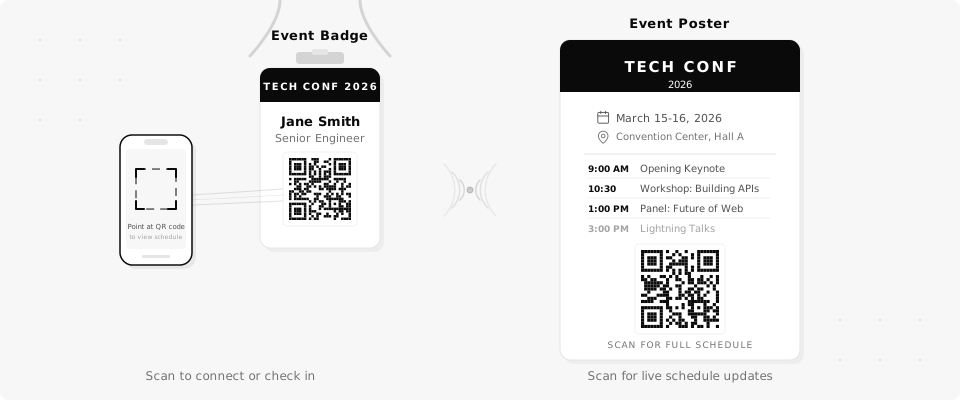
You printed 500 event programs with a link to the schedule page. Then the keynote speaker changed rooms and you had to post handwritten signs everywhere. Dynamic QR codes let you update what attendees see without reprinting a single thing. Here's how event organizers actually use them.
6 Ways to Use QR Codes at Events
A QR code on a badge or poster is just the starting point. Once you have a dynamic code you can update anytime, it fits into almost every part of your event.
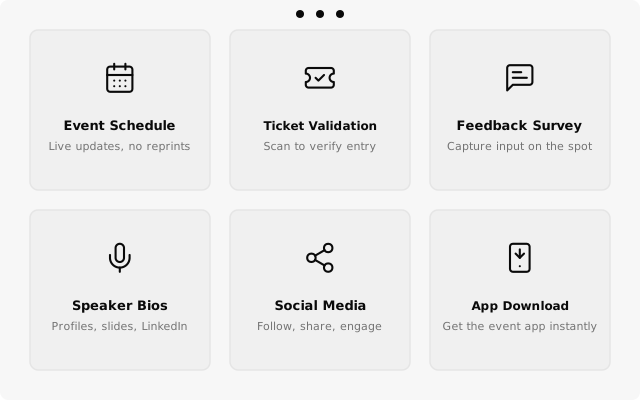
- Event schedule. Print QR codes on programs and posters that link to your live schedule page. When a session moves or a speaker drops out, update the page and every printed code still works.
- Ticket validation. Generate unique QR codes for each ticket. Staff scan them at the door to verify entry. No paper lists, no guessing.
- Feedback survey. Put a QR code on every table or at the exit. Attendees scan and fill out a quick form while the experience is still fresh.
- Speaker bios. Link each speaker's badge or session card to their bio page, LinkedIn, or slide deck. Attendees get full context without a bulky printed booklet.
- Social media links. Add a QR code to signage that points to your event hashtag page, Instagram, or photo gallery. Makes it easy for attendees to share and follow.
- Event app download. Point a code to your app's download page. After the event, swap the URL to a recap page or photo gallery so the same printed materials keep working.
Use one QR code on your printed program for the schedule. If sessions change last minute, update the destination URL instead of reprinting.
Track Engagement in Real Time
Printed signs and programs can't tell you whether anyone actually read them. A QR code can. QrBro's scan analytics show you exactly how many people scanned each code, when they scanned, and what device they used.
During the event, you can watch scans come in live. See a spike at 9am when the doors open. See which session QR codes get the most attention. See if the feedback survey code at Table 12 is getting ignored while the one near the exit is pulling in responses.
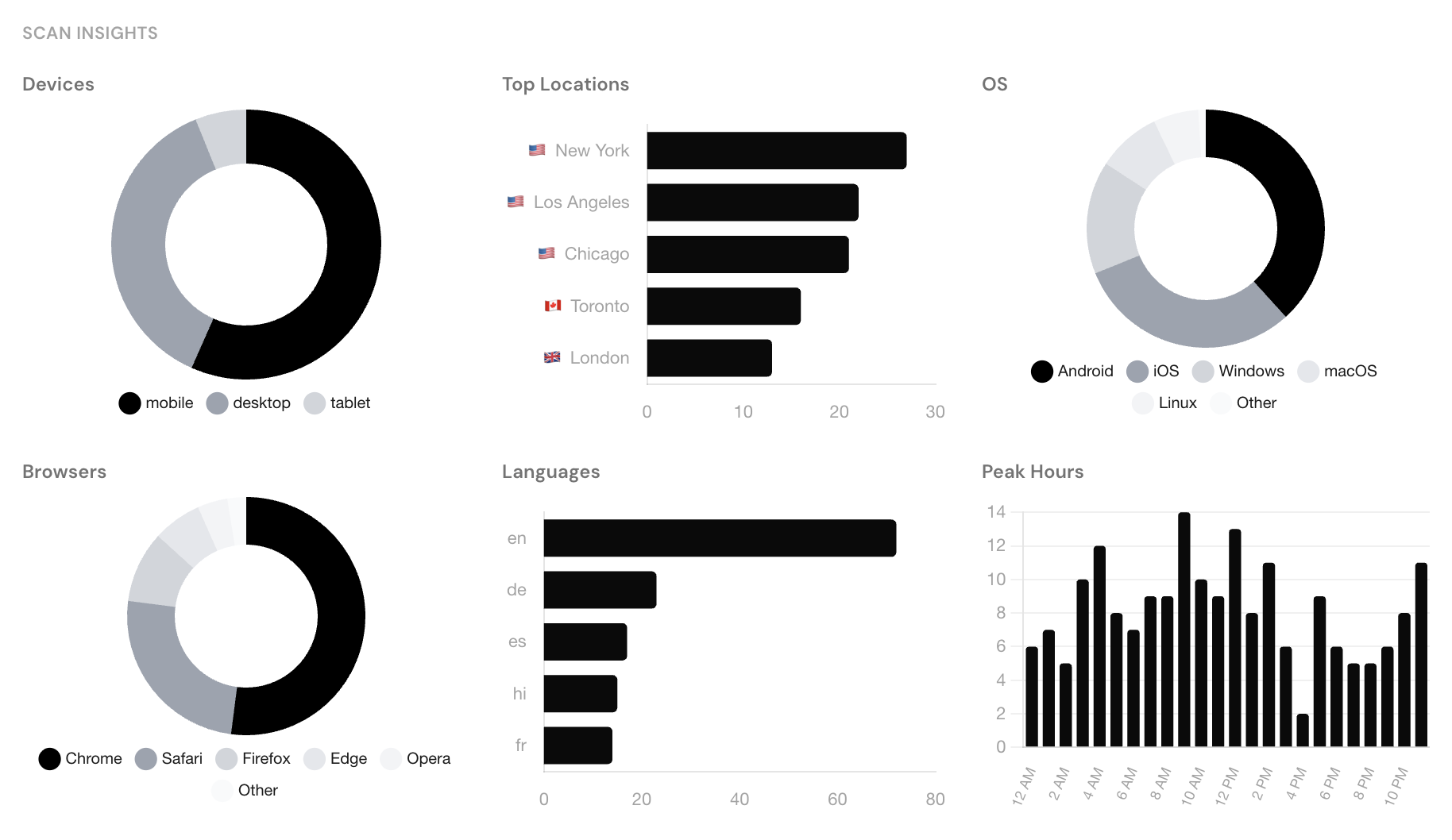
After the event, export everything to CSV for your post-event report. You'll have hard numbers on engagement instead of guesses.
See exactly how many people engaged with your event materials, in real time. No surveys about the surveys.
The Killer Feature: Update Codes After the Event
Here's the part most event organizers miss. The QR codes you printed for the event don't have to stop working when the event ends.
Your schedule QR code? Point it to a recap page with session recordings. The speaker bio codes? Update them to link to slide decks and follow-up resources. The feedback survey code? Swap it to a "Save the date" page for next year's event.
Because these are dynamic codes, the printed materials attendees took home keep delivering value long after the event. Anyone who scans a code from an old program still lands somewhere useful.
After the event, update your schedule QR code to point to session recordings. Attendees who kept the program can still scan and get value.
A Real-World Example
Say you're organizing a 300-person conference. You print programs, table cards, and a large poster for the registration area. Each one has QR codes linking to the schedule, feedback form, and speaker bios.
Morning of the event, the lunch location changes from Room A to the Main Hall. You log into QrBro, update the schedule page link, and every QR code in the building now points to the correct info. No announcements over the PA, no handwritten signs taped to doors.
During the event, you check the analytics and see that 180 people scanned the schedule code, 95 scanned the feedback survey, and the speaker bio codes for the two keynotes pulled in 60+ scans each. You know exactly which sessions drew the most interest.
A week later, you update the schedule code to point to session recordings and the feedback code to a "thank you" page with early-bird registration for next year. The programs attendees took home are still useful.
Getting Started
Paste your event page URL into QrBro, download the QR code, and drop it into your program layout or poster design. The whole process takes a couple of minutes. If you're printing badges or programs, you can also bulk-create codes on a paid plan to generate unique codes for every attendee.
Not sure what size to print? The QR code size guide has a reference table for badges, posters, and banners.
Create your first dynamic QR code, it's free
Get StartedRelated guides
How to Change a QR Code URL Without Reprinting
Already printed your QR code? You can still change where it goes. Here's how to update a QR code destination without reprinting anything.
LearnHow to Track QR Code Scans
Find out who's scanning your QR codes, when, where, and on what device. Here's how QR code scan tracking works and what data you can collect.